The best PowerPoint anatomy slides are those that are high-quality, fully editable, and visually engaging, designed to transform complex biological structures into clear and instructive visuals. These slides, often provided by specialized resources like RxSlides, save time by eliminating the need to search for accurate, high-resolution anatomy images, allowing the presenter to focus on teaching the medical concept.
Key Features of Engaging Anatomy Slides
High-impact anatomy slides go beyond simple diagrams by incorporating professional design elements, color, and structure:
High-Quality Vector Illustrations:
The core requirement is a clean, high-quality illustration of the anatomical structures.
For example, the Acne Vulgaris PPT Template provides a vector illustration of the skin layers, including the hair follicle and sebaceous gland, making complex dermal structures easy to point out and explain without needing to draw or annotate live.
Built-in Annotation and Editability:
The best templates include annotation lines and are 100% editable, allowing users to easily replace dummy text to label specific parts (like the stratum corneum, dermis, hair follicle, or sebaceous gland). Users can also change colors or emphasize different structures to highlight key relationships without prior design experience.
Using warm, consistent color palettes, as seen in the Acne template, can keep the slide inviting and engaging, avoiding the cold, sterile feel of typical medical diagrams.
Focus on Relevance:
Anatomy slides should immediately set the context for the disease discussion that follows.
For instance, the Pleural Effusion Medical PowerPoint Template includes an animated slide highlighting key anatomical components such as ribs, lungs, pleura, pleural space, and diaphragm, laying the groundwork for understanding pleural space disorders.
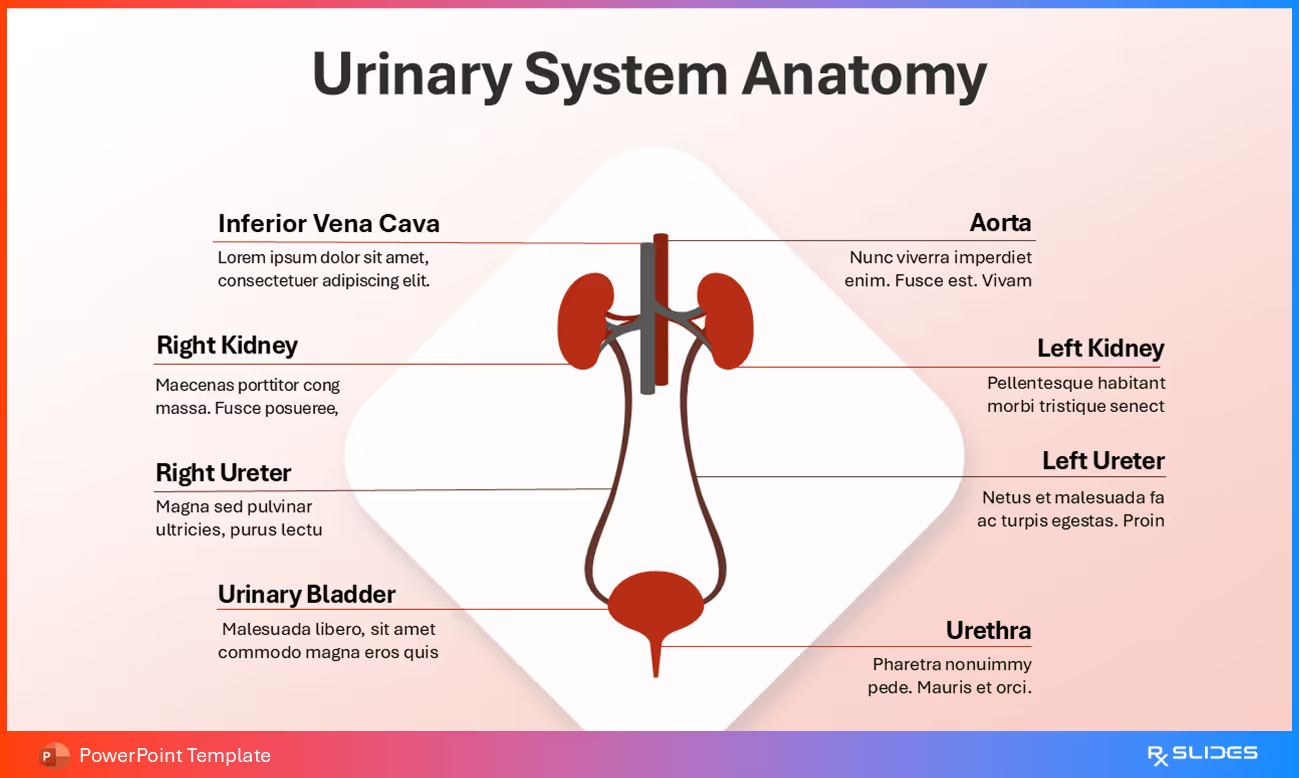
Examples of High-Impact Anatomy Slides from RxSlides Templates
Clear identification of epithelial layer, lamina propria, and muscularis mucosae
Visual correlation between anatomy and ulcer pathology
How to Design the Best PowerPoint Anatomy Slides?
Look for Medical Professionals: Prioritize templates created by "RxSlides medical professionals" to ensure credibility and scientific accuracy.
Verify Editability: Ensure the templates are 100% editable so you can easily customize text, colors, and layouts to match your presentation style or branding guidelines.
Check for Animation: Look for templates that include animated medical slides to capture attention and enhance understanding of functional processes. For instance, animation can be used to detail key anatomical components like the ribs, lungs, pleura, pleural space, and diaphragm.
Look for Comparison Slides: The best anatomical slides are often packaged within "Normal vs. Disease" comparison layouts (as discussed in our previous conversation). For instance, the Urinary Incontinence Template features a slide illustrating the difference between a normal and a diseased (incontinent) bladder, split in half for visual contrast.





.avif)
.avif)